
Best Free Online Notepad (No Login Required, No Sign Up)
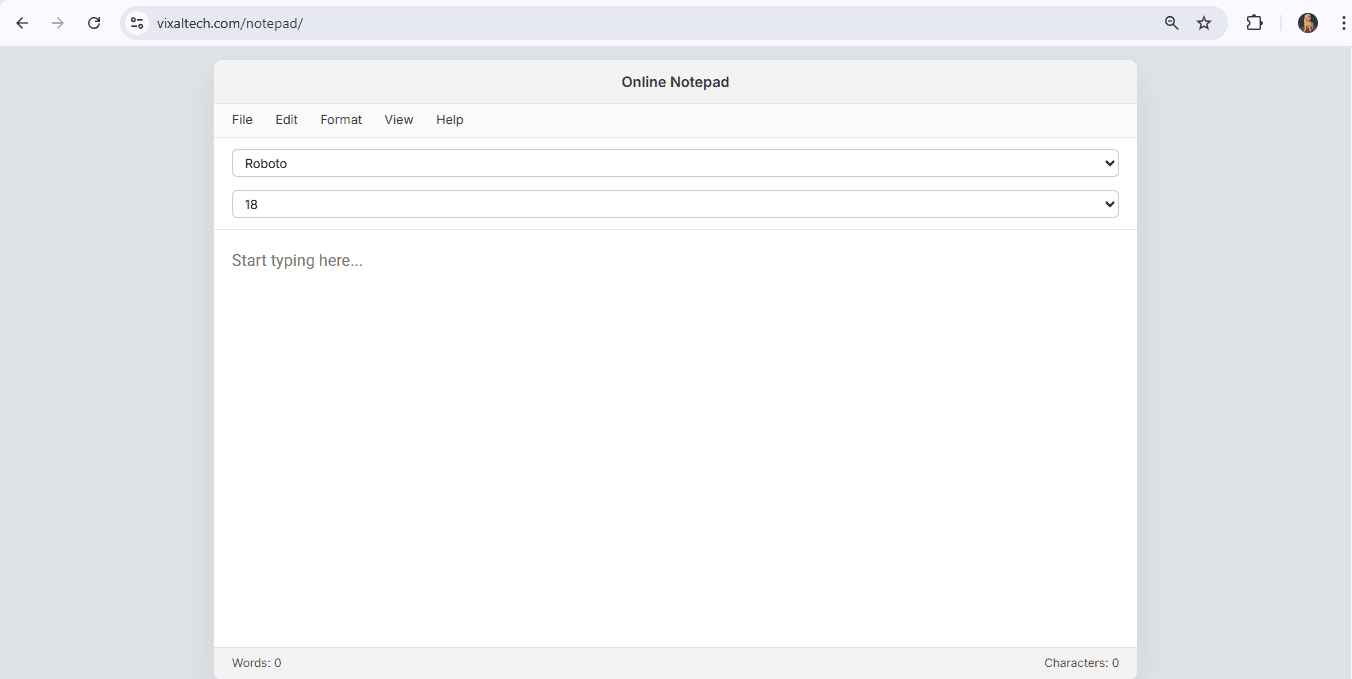
The good news is that you can use a free online notepad no login required, start typing instantly, and save your notes without signing up. No installation, no downloads just open the website and write.
In this guide, we’ll explain why a free notepad online for text notes is useful, how it works, and what makes a good free online notepad website.
What Is a Free Online Notepad?
A free online notepad is a browser-based text editor that allows you to write, edit, and save plain text notes directly from your web browser.
Unlike traditional apps:
- No installation required
- No login required
- No sign up needed
- Works on mobile, tablet, and desktop
This makes it perfect for quick notes, writing drafts, or saving ideas instantly.
Why Choose a Online Notepad No Login Required?
Many note-taking apps require registration. But sometimes you just want to:
- Write something quickly
- Draft content
- Copy-paste code
- Save temporary notes
- Edit plain text
A online notepad no sign up option saves time and removes friction.
Benefits include:
- Instant access
- Privacy (no account creation)
- Fast loading
- Works on any device
- Simple interface
This is why users prefer a free notepad online for text notes instead of heavy apps.
Features of the Best Free Online Notepad
When choosing the best free online notepad, look for:
1️⃣ Simple and Clean Interface
No distractions, no ads overload, just a writing space.
2️⃣ No Login Required
A truly free online notepad no login required should allow instant typing.
3️⃣ No Sign Up
No email verification, no password creation.
4️⃣ Save and Download Option
Ability to save notes as text file.
5️⃣ Basic Editing Tools
Undo, redo, find, replace, word wrap.
How to Use a Online Notepad Website
Using a online notepad website is simple:
- Open the website
- Start typing your notes
- Edit text as needed
- Save or download your file
That’s it.
No registration process.
Who Should Use a Notepad Online for Text Notes?
A free notepad online for text notes is useful for:
- Students taking quick notes
- Developers writing code snippets
- Bloggers drafting content
- Office users creating reminders
- Writers brainstorming ideas
- Anyone needing instant text editing
Because it requires no login, it is ideal for quick temporary writing.
Online Notepad vs Traditional Notepad App
| Feature | Free Online Notepad | Desktop Notepad |
|---|---|---|
| No Login Required | ✅ Yes | Not applicable |
| No Sign Up | ✅ Yes | Not required |
| Works on Any Device | ✅ Yes | Only installed device |
| Instant Access | ✅ Yes | Must open app |
| Share Easily | Some tools | Manual sharing |
For convenience, browser-based notepad tools are more flexible.
Is a Free Online Notepad Safe?
Most notepad websites store notes locally in your browser. That means:
- Your notes are not automatically shared
- Data remains on your device
- Clearing browser data removes saved notes
For sensitive data, avoid shared computers.
Final Thoughts
If you are looking for the best free online notepad, choose one that:
- Requires no login
- Requires no sign up
- Loads instantly
- Allows easy text editing
- Works across devices
A free online notepad website is one of the simplest yet most useful online tools available today.
For quick text notes, drafting ideas, or simple writing tasks, a free notepad online for text notes is the fastest solution.
FAQ Section
What is the best free online notepad?
The best free online notepad allows you to write, edit, and save text notes instantly without login or sign up.
Can I use a free online notepad no login required?
Yes, many online notepad websites allow instant access without requiring login or registration.
Is there a free online notepad no sign up option?
Yes, you can use browser-based notepad tools that do not require creating an account.
Is a online notepad for text notes safe?
Most tools store notes locally in your browser, which keeps them private on your device.