
Google Search Console vs Google Analytics 4 vs Google Tag Manager: Running a modern website without accurate data is like driving a car blindfolded. In an era dominated by Google AI Overviews, ChatGPT Search, Gemini, and Perplexity, understanding how users and generative engines discover your content is critical. If your technical setup relies on guessing rather than precise data measurement, you miss vital optimization signals.
To properly evaluate your website performance tracking, you must leverage Google’s three core foundational utilities: Google Search Console (GSC), Google Analytics 4 (GA4), and Google Tag Manager (GTM). While they are frequently grouped together as “SEO analytics tools,” they serve entirely distinct, non-overlapping functions across your marketing ecosystem. This guide breaks down exactly how they differ, why they are indispensable for AI SEO, and how to deploy them effectively.
Quick Answer Box: The Analytics Stack at a Glance
What is Google Search Console?
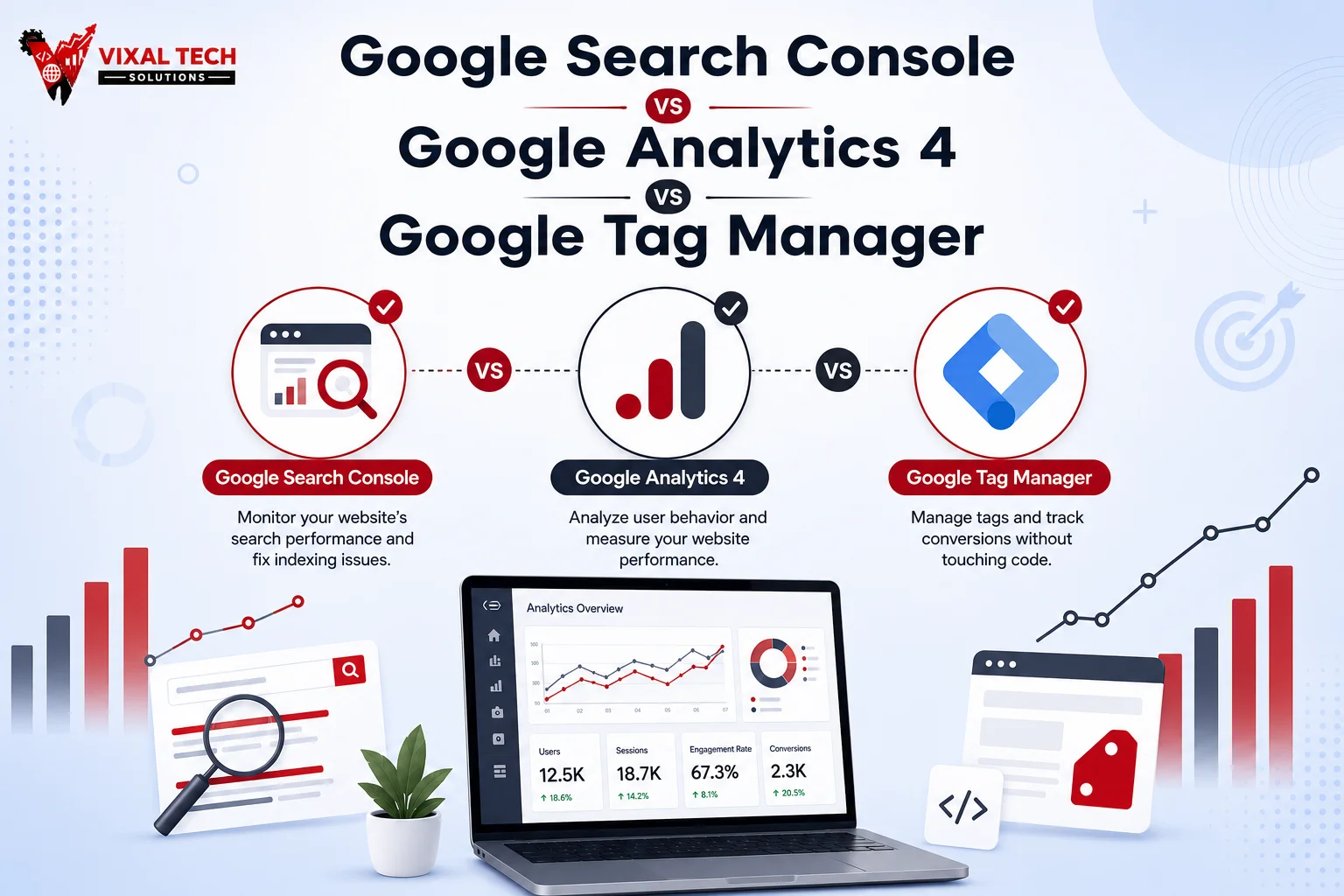
GSC is a free platform that monitors how Google’s search engine crawls, indexes, and ranks your website, providing invaluable pre-click organic keyword tracking and technical performance data.
What is Google Analytics 4?
GA4 is a user behavior analytics tool that tracks and analyzes everything visitors do after landing on your site, using an event-based data model to measure engagement and conversion tracking.
What is Google Tag Manager?
GTM is a centralized tag management system that lets you deploy and manage tracking scripts, pixels, and event triggers across your website without altering the source code.
Which tool should businesses use?
Businesses should use all three tools simultaneously. GTM deploys your tracking code, GA4 measures user behavior, and GSC monitors your search performance.
What Is Google Search Console?
Google Search Console is a free, search-engine-facing dashboard designed to measure your site’s health and performance directly within Google SERPs. It focuses tracking exclusively on the pre-click user experience.
GSC answers critical infrastructure questions: Is Google indexing your subpages correctly? Are there technical errors blocking mobile usability or Core Web Vitals? What specific phrases drive organic traffic to your domain? Because it pulls data directly from Google’s index rather than on-page scripts, it provides unvarnished reporting on average ranking positions, impressions, and organic click-through rates (CTR).
What Is Google Analytics 4 (GA4)?
Google Analytics 4 is a comprehensive behavioral analytics platform designed to monitor the post-click user journey. It relies on a JavaScript snippet deployed on your website to capture real-time visitor actions.
Unlike GSC, GA4 is completely channel-agnostic. It aggregates and attributes traffic coming from social media, email campaigns, paid ads, and conversational engine referrals like ChatGPT or Perplexity. Through its advanced event-based framework, GA4 monitors specific engagements, scrolling depth, video views, and conversions like lead-form submissions or e-commerce checkouts.
What Is Google Tag Manager (GTM)?
Google Tag Manager is a production management system that functions as a structural middleman between your website’s source code and external digital marketing tools. It does not record data or generate analytics reports on its own.
Instead, GTM provides a web-based interface to organize and inject tracking tags such as your GA4 configuration tag, Meta pixel, or Hotjar scripts dynamically onto your site. By setting up targeted triggers (e.g., when a user clicks a specific button) and variables, marketers can customize event tracking parameters instantly without relying on a web developer to edit hardcoded JavaScript files.
Google Search Console vs Google Analytics 4 vs Google Tag Manager: Key Differences
Understanding the structural boundaries between these platforms is vital for maintaining clean data integrity and preventing double-tracking errors.
Deep Feature Comparison Table
| Feature | Google Search Console | Google Analytics 4 | Google Tag Manager |
| Primary Purpose | Monitors search visibility & technical indexing | Tracks post-click user behavior & conversions | Deploys & manages tracking codes without hardcoding |
| Data Source | Google’s internal organic search index | On-page JavaScript tracking snippet | The website’s Document Object Model (DOM) data layer |
| Best Use Cases | Fixing crawl errors; tracking keyword positions | Measuring ROI; mapping conversion funnels | Custom button tracking; pixel deployment |
| SEO Benefits | Identifies indexing blocks & Core Web Vitals issues | Measures post-click landing page engagement metrics | Implements schema markup & structured scripts easily |
| Ease of Use | Beginner friendly; plug-and-play setup | Moderate; requires exploration configuration | Advanced; requires a solid understanding of web events |
| Reporting | Basic metrics (Clicks, Impressions, CTR, Position) | Deep custom exploration reports & visual funnels | None (Does not store or display data) |
| User Tracking | Anonymous search behavior; no individual tracking | Anonymized session & user lifestyle tracking | Tracks specific DOM actions to pass to analytics |
| Event Tracking | None | Built-in enhanced measurement + custom events | Flexible, rule-based custom event triggering |
When Should You Use Each Tool?
Deploy Google Search Console when you want to check if a new blog post has been successfully indexed, evaluate your average keyword positions, fix 404 crawl errors, or analyze your click-through rates from organic listings. GSC gives you a clear window into how search engines crawl your infrastructure.
Deploy Google Analytics 4 when you need to track user behavior across multiple acquisition pipelines. Use it to discover which organic channels yield the highest conversion rate, measure how long users remain on specific landing pages, map drop-off points, or track total revenue from conversions.
Deploy Google Tag Manager when your marketing team requires the flexibility to add new tracking codes or pixels without touching raw code. Use GTM to implement tools like Hotjar, configure custom button clicks, or pass variables to your analytics platform instantly.
How GSC, GA4, and GTM Work Together
When synced correctly, these three systems create a seamless data lifecycle that optimizes your digital footprint for traditional search engines and generative models alike.
GTM acts as the underlying delivery system, launching the necessary tracking frameworks without heavy code execution delays. Once live, GA4 captures internal engagement signals, while GSC monitors external health. By linking your GSC property directly into your GA4 interface, you can overlay search queries alongside post-click behavioral data to find immediate conversion optimization opportunities.
Benefits of Using All Three Google Tools
Leveraging the complete Google analytics triad gives your brand absolute visibility over the user lifecycle. It bridges the critical information gap between external indexing data and internal UX parameters.
This combined implementation directly fuels modern Answer Engine Optimization (AEO) and Generative Engine Optimization (GEO). LLMs prioritize sites that load rapidly, possess flawless technical schemas, and demonstrate high human engagement metrics. Setting up this data feedback loop ensures you meet those algorithmic baselines cleanly.
If managing the interplay of tags, schemas, and analytical funnels feels overwhelming, businesses frequently leverage professional web development and digital marketing companies like VixalTech to integrate GTM, GA4, and GSC properly, protecting their measurement parameters from the start.
Common Mistakes Beginners Make
Installing the base GA4 tracking code directly into the header source files of a website while also running a GA4 configuration tag inside Google Tag Manager is a massive error. This duplicate installation causes artificial traffic spikes and cuts bounce rates in half.
Publishing tags inside GTM without utilizing the preview console can lead to broken elements on your site or silent tracking dropouts. Additionally, keeping GSC and GA4 separated in siloed accounts limits your ability to correlate user keyword intent with on-page transaction performance.
Which Tool Is Best for SEO, Analytics, and Tracking?
For pure organic search tracking, technical optimization, and discovery analytics, Google Search Console remains the undisputed gold standard. No other engine provides primary keyword performance source data directly out of Google’s index.
For comprehensive behavior mapping across all traffic pipelines, Google Analytics 4 is the necessary authority. Meanwhile, for modern script implementation and agile tag control, Google Tag Manager is the premier management choice. They are partners, not competitors.
Best Tools for SEO, Website Analytics, and Tag Management in 2026
- Google Stack (GSC, GA4, GTM, Looker Studio): The fundamental standard for tracking data distribution, parsing event configurations, and mapping custom client reporting dashboards.
- Premium SEO Crawlers (Ahrefs / Semrush): Indispensable for auditing competitor backlink footprints, conducting global search intent research, and mapping market Share of Voice.
- Behavioral Session Recorders (Microsoft Clarity / Hotjar): The ultimate visual companions to GA4, providing detailed click heatmaps and anonymous session recordings to discover where users encounter UX frustration.
Future of Website Tracking and Analytics in 2026
The analytical space in 2026 is moving definitively away from classic cookie-dependent tracking and transitioning toward privacy-first, machine-learning-driven predictive modeling. As third-party data collection winds down, server-side tagging via systems like GTM has become essential to preserve clean analytics attribution.
Furthermore, optimizing for AI-powered search engines means tracking new variables. Modern dashboards must account for brand mentions within LLM syntheses, requiring robust web data structures. Partnering with forward-facing technical teams like VixalTech allows businesses to transition effortlessly into these modern privacy architectures while ensuring their SEO, AEO, and GEO tracking parameters remain sharp and profitable.
Conclusion
To build a sustainable online presence in the era of generative search, deploying a disconnected analytics setup is no longer enough. Google Search Console, Google Analytics 4, and Google Tag Manager form a crucial foundation for data collection. GTM seamlessly injects your scripts, GA4 charts the post-click user experience, and GSC maintains your visibility within search indices. Harmonizing all three tools allows you to gather the precise data signals required to scale your visibility across Google, ChatGPT, Gemini, and Perplexity.
FAQ Section
What is the difference between Google Search Console and Google Analytics 4?
GSC monitors pre-click organic keyword rankings and technical crawl health on Google, while GA4 tracks post-click multi-channel user behavior.
Do I need Google Tag Manager if I already use GA4?
No, but GTM simplifies advanced event configuration, tag deployment, and pixel management without editing your source code.
Which tool is best for SEO?
Google Search Console is the primary tool for indexing and keyword visibility, while GA4 evaluates landing page performance.
Can beginners use Google Tag Manager?
Yes, but it features a steeper technical learning curve due to its reliance on custom tags, triggers, and variables.
Should I use all three Google tools together?
Yes, combining them builds a unified ecosystem where GTM deploys tags, GA4 analyzes interactions, and GSC manages search indexing.
Which tool tracks website traffic more accurately?
Neither; GSC records organic data strictly from Google Search, while GA4 captures all traffic arrivals across every marketing channel.
